How to connect your Pickleball.com account and your DUPR account.
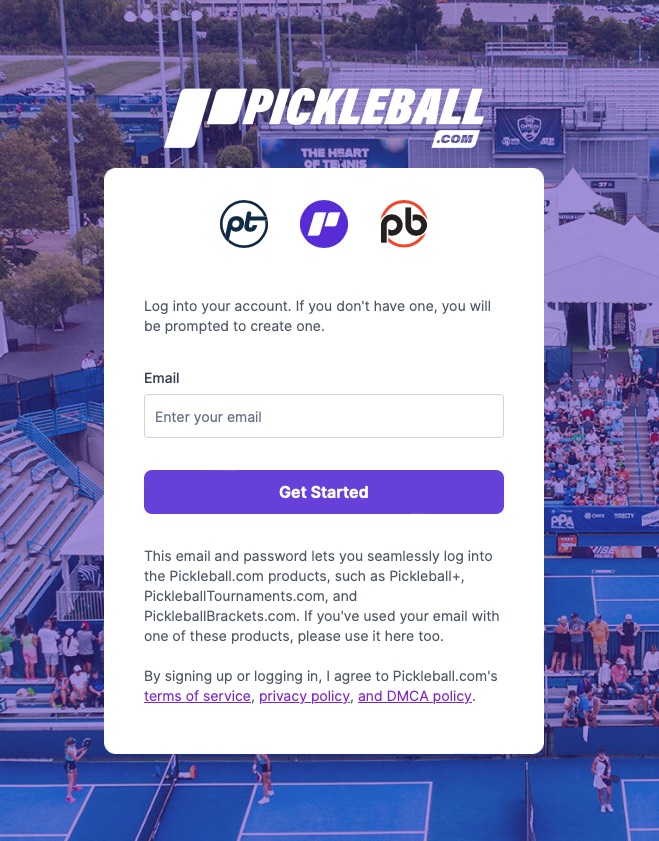
Navigate to Pickleball.com and Login to your account. Here is a quick link to the login page
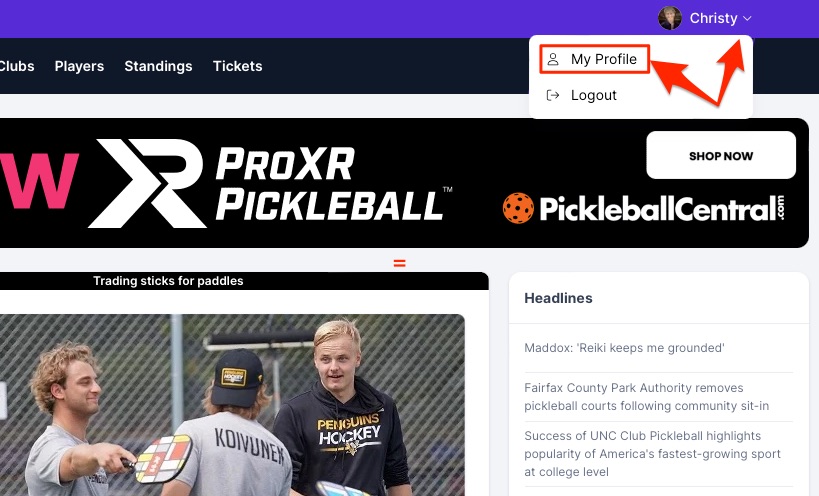
Once logged in, navigate to your Profile in the top right hand corner. Click the arrow button and select My Profile.
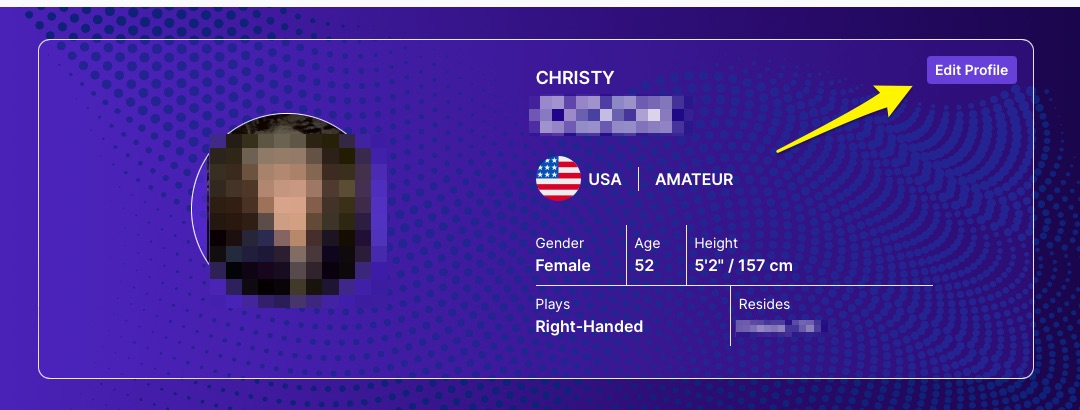
Click on the Edit Profile button.
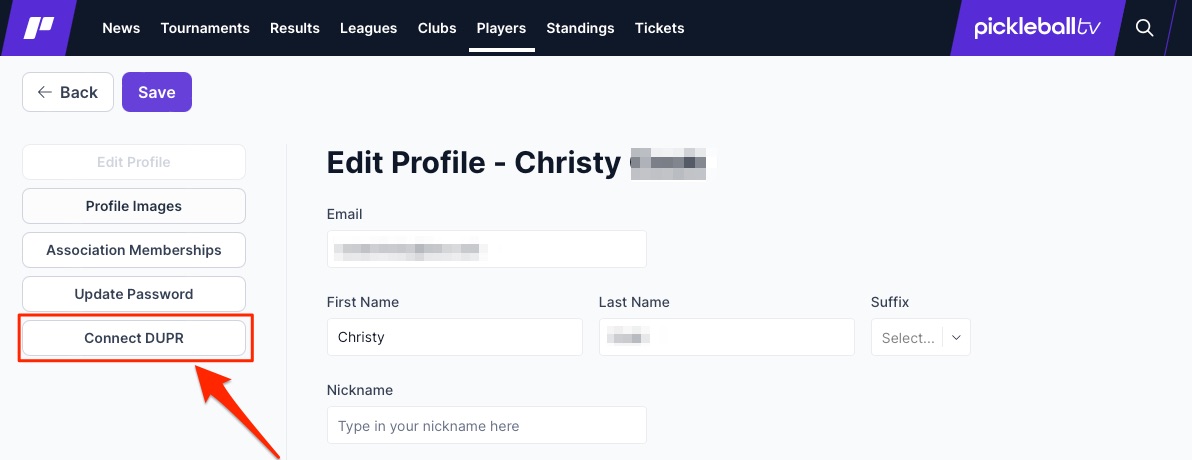
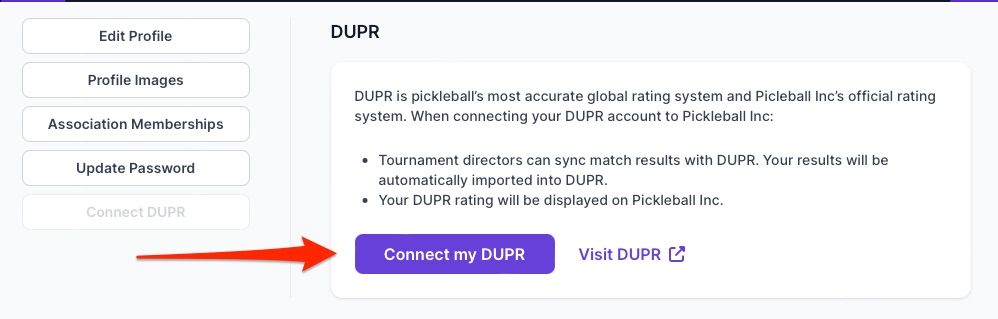
Click on the Connect DUPR button
Click on Connect my DUPR
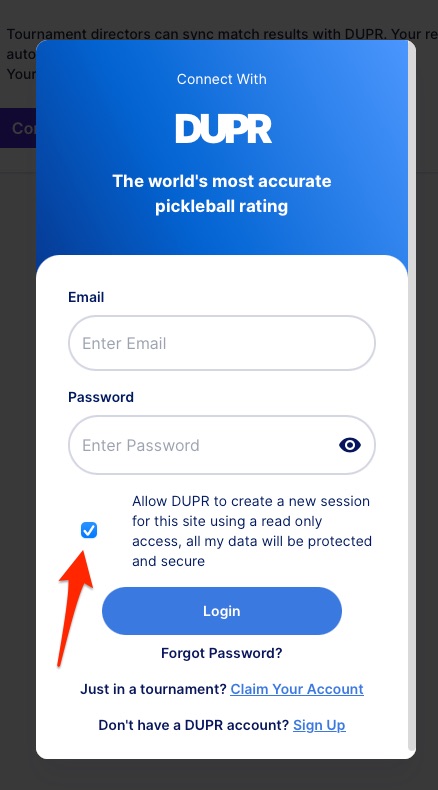
A new window will appear asking you to login to your DUPR account. Complete the login information and click Login, making sure you select "Allow DUPR to create a new session...".
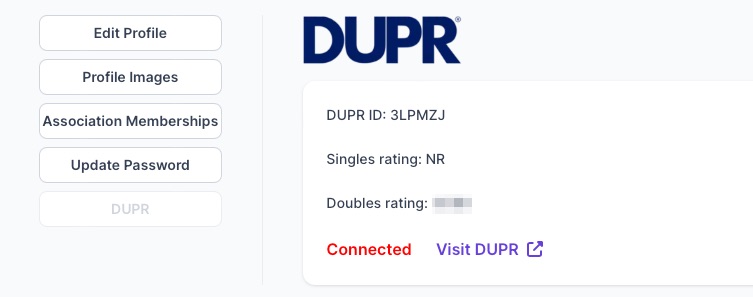
Your Pickleball.com and DUPR accounts are now integrated. Events can now update your DUPR rating, and your Pickleball.com user profile rating will display what is shown in DUPR.
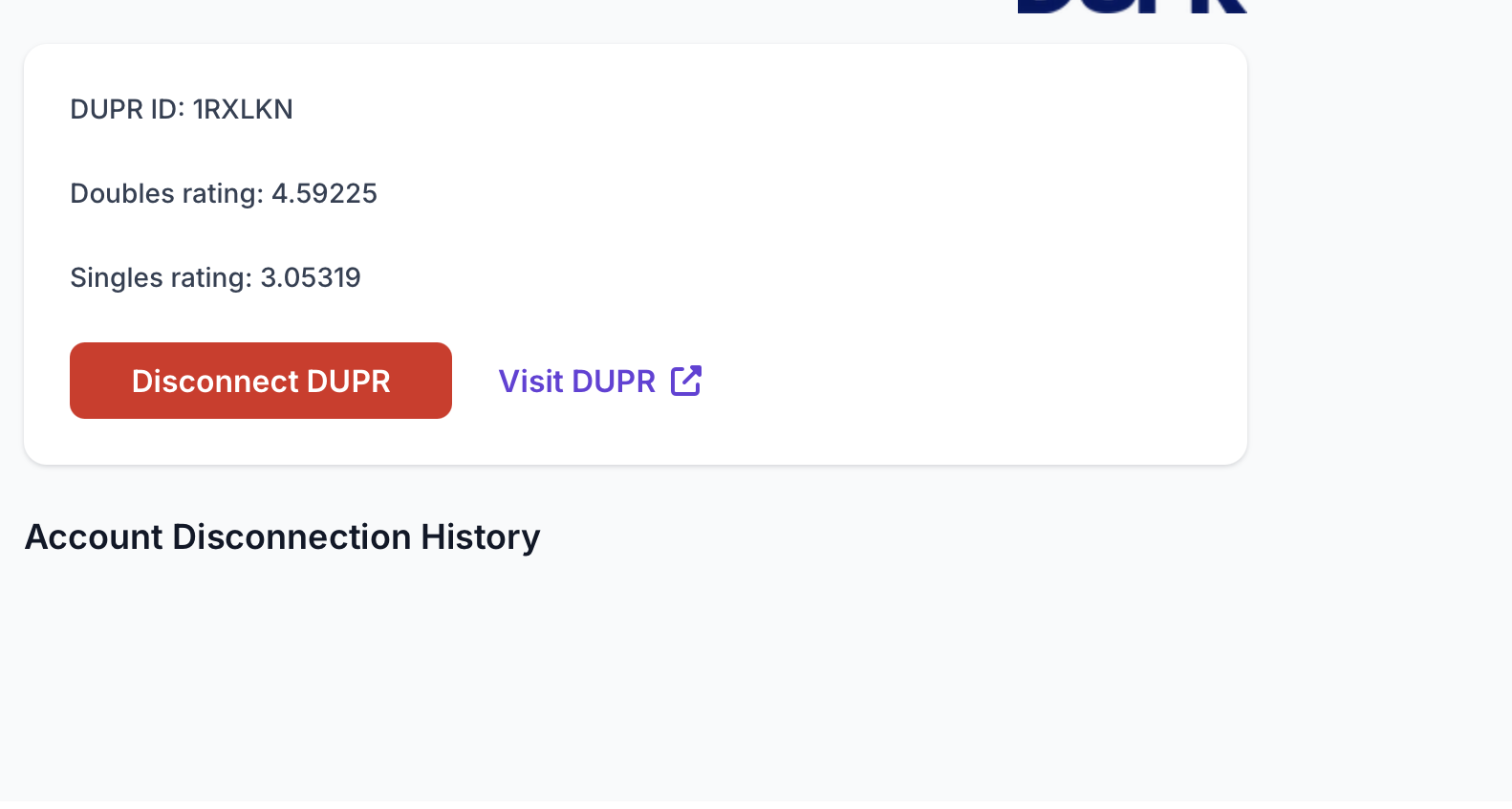
** Please note: You can disconnect your DUPR only ONE time. After that, you must contact support (support@pickleball.com) to request your DUPR account be disconnected along with the reason why. Your disconnection history will be shown below your DUPR to easily keep track of it.
Was this article helpful?
That’s Great!
Thank you for your feedback
Sorry! We couldn't be helpful
Thank you for your feedback
Feedback sent
We appreciate your effort and will try to fix the article