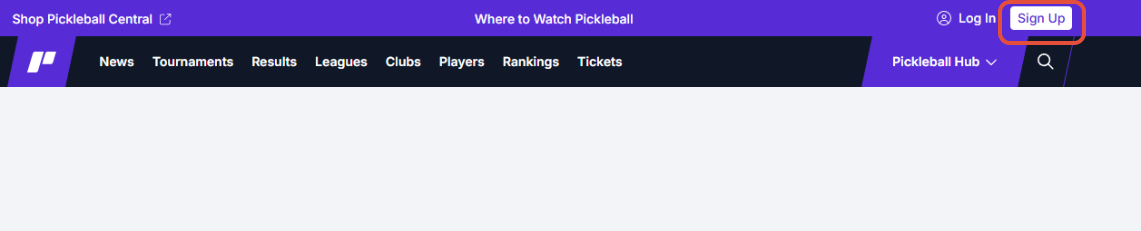
Once you have arrived on the main pickleball.com page, use the "Sign up" tab in the upper right hand corner to get started with creating a free player account:
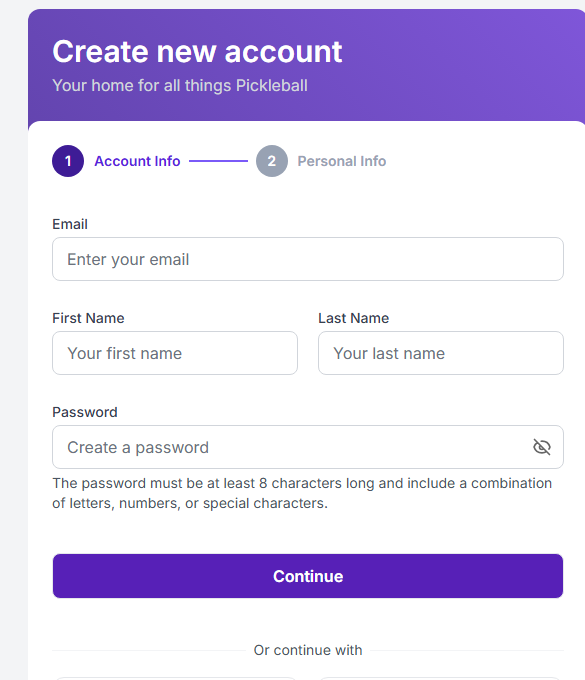
Your first entry will be your email address, which will be used as your sign in. Only 1 account can be associated with an email address and phone number. If the email and phone are not already in use, you will be presented with an error message indicating they are already in use. You would have to do a password reset if that was the case. If no error messages are present, continue through all the steps of account set up.
Begin signing up for events! Be sure to connect your DUPR account as well!
Was this article helpful?
That’s Great!
Thank you for your feedback
Sorry! We couldn't be helpful
Thank you for your feedback
Feedback sent
We appreciate your effort and will try to fix the article