Have another question about creating a league? Click the links below to learn more:

Basic Info
Discounts
Sponsors
Managers
Session Settings
League Schedule
Checkout Options
Activate the option or options for players to pay during registration checkout.
If more than one Checkout Option is specified, players will be able to select their preferred payment method.
NOTE: Currently, leagues offer only two checkout options for registration.
1. Stripe - If you choose to use Stripe, ensure it’s set up in your organization first. Please see the video above for how to set up Stripe in your organization first.
Screenshot below shows what your Organization Checkout Options should look like when your Stripe account is set up in your organization.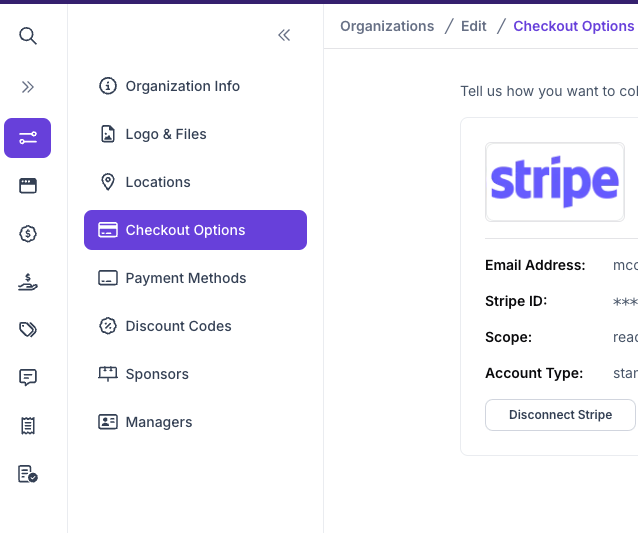 Once set up in the organization, the league manager will be able to
Click to Activate the Stripe account here.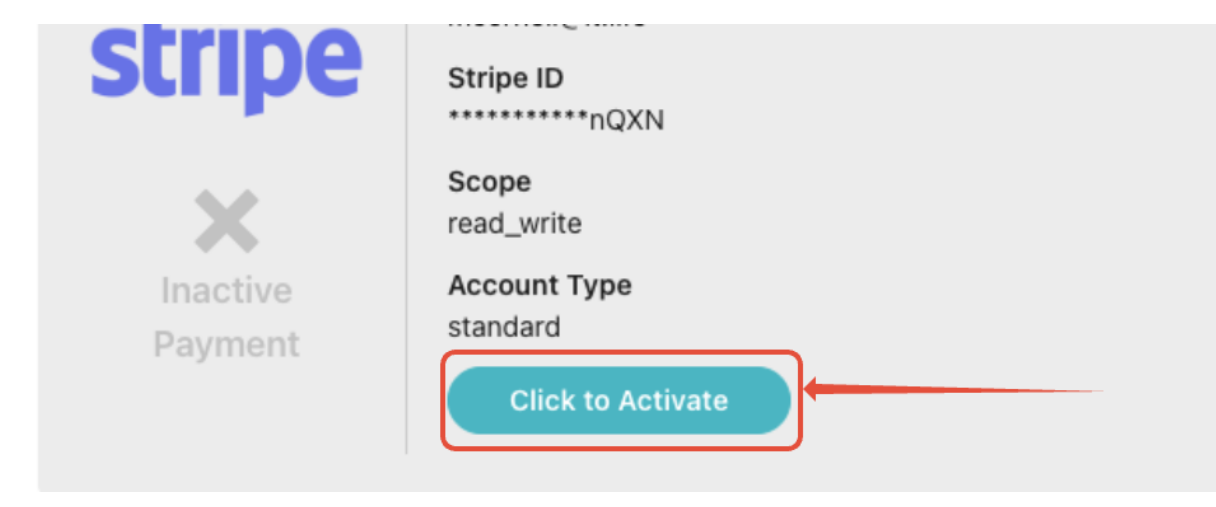
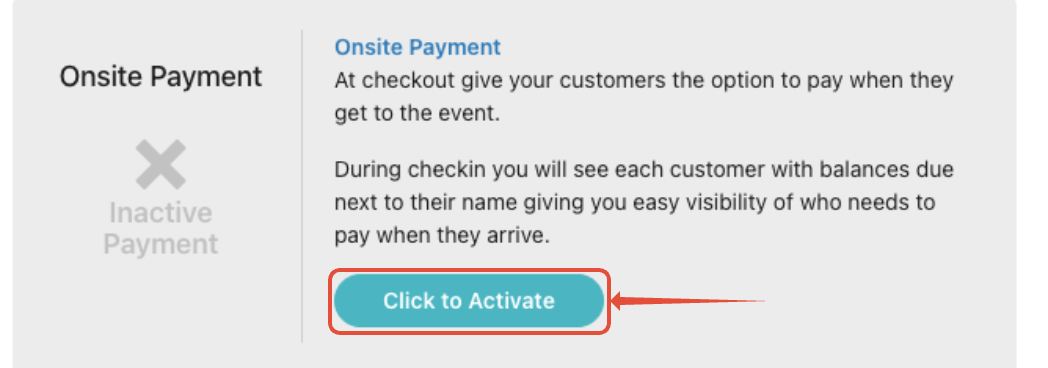
2. Onsite Payment - Use this option if you don't want to require players to pay during registration.

3. Save - Click on the Save tab at the top or bottom of the page to save Checkout Options and move on to the next set up page to work on Discounts.
Was this article helpful?
That’s Great!
Thank you for your feedback
Sorry! We couldn't be helpful
Thank you for your feedback
Feedback sent
We appreciate your effort and will try to fix the article