Discount Codes (optional section)
Have another question about creating a league? Click the links below to learn more:

Basic Info
Checkout Options
Sponsors
Managers
Session Settings
League Schedule
Discounts: League Managers may create discount codes to distribute. Each code is unique and can be limited in scope and duration.
Note: Discount / Promo codes can be useful to create urgency for players to register.Click on the plus sign to add a discount code. Discount codes created will be listed below this box.
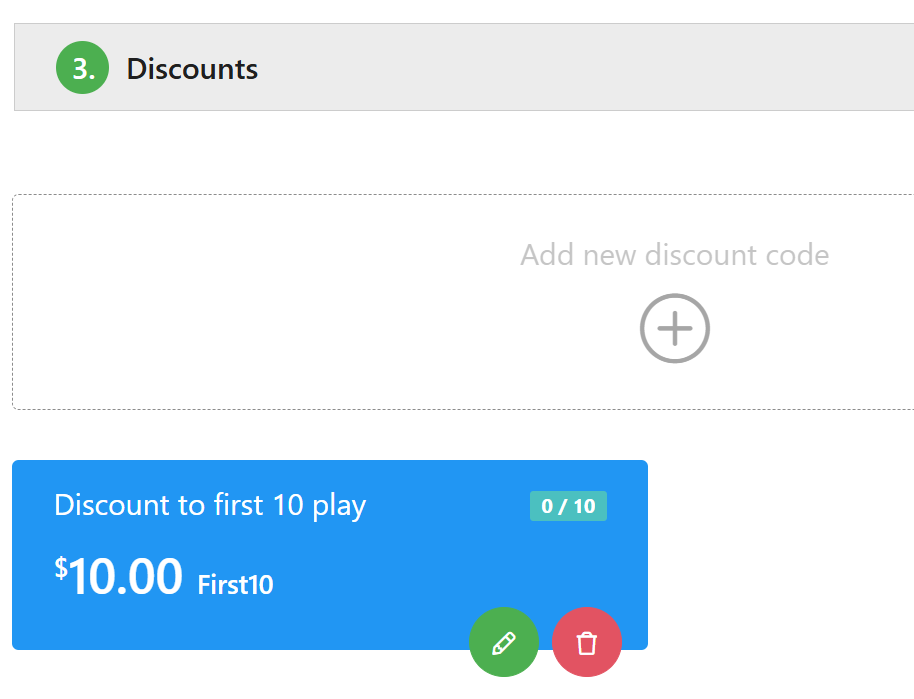
The next screen will give you the options to create your League Discount Code: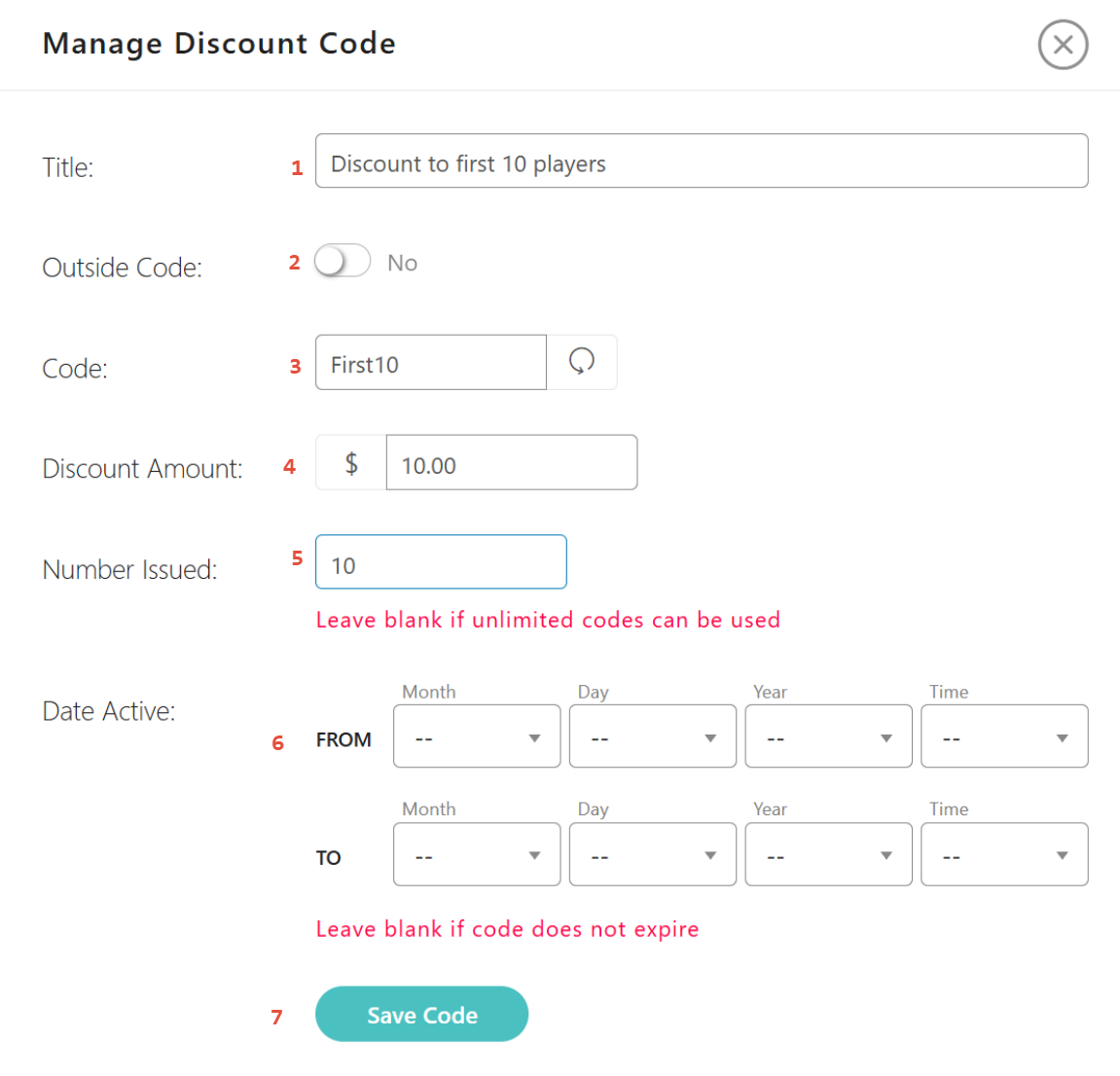
- Title - Give the code a title. That title will appear on the list of discount codes.
- Outside Code - Use this for outside organizations such as organizations. This field is for future use.
- Code - The system generates a random code that you can use. You may prefer to type in your own code that might be easier to remember.
- Discount Amount - The value of the discount must be a positive number.
- Number Issued - Use this to limit the number of discounts available. This feature can be used to promote a tournament by offering discounts to only the first X number of players to register.
- Date Active - Use this to limit the date range that the code will be valid.
- Save -Once you have completed creating your code, click on the Save button.
When it comes to discounts, you might want to reward standout players, volunteers or sponsors. For instance, if Betty is a star player, you could give her a discount code like "BettyBoop" for $10 off her session. Just make sure it can only be used once to prevent sharing.
Once you have completed your Discounts, click on the Save button at the top or bottom of the screen to move on the next page of League Setup.
Note: You can have multiple active discount codes at one time.
Was this article helpful?
That’s Great!
Thank you for your feedback
Sorry! We couldn't be helpful
Thank you for your feedback
Feedback sent
We appreciate your effort and will try to fix the article