Sponsors - Optional
Have another question about creating a league? Click the links below to learn more:

Basic Info
Checkout Options
Discounts
Managers
Session Settings
League Schedule
Sponsors: Sponsorships are a great way to support your league financially.
You can choose different levels for sponsors and upload their logos, company name, and even a link to their store. This way, when players click on the sponsor’s logo, they can easily access their offerings.
Note: Sponsors will be displayed at the bottom of your home league page AND all emails using our "Messages" emailing system.Click on the plus sign to add new sponsor.
Sponsors once added will be listed on the Sponsor page as listed below. 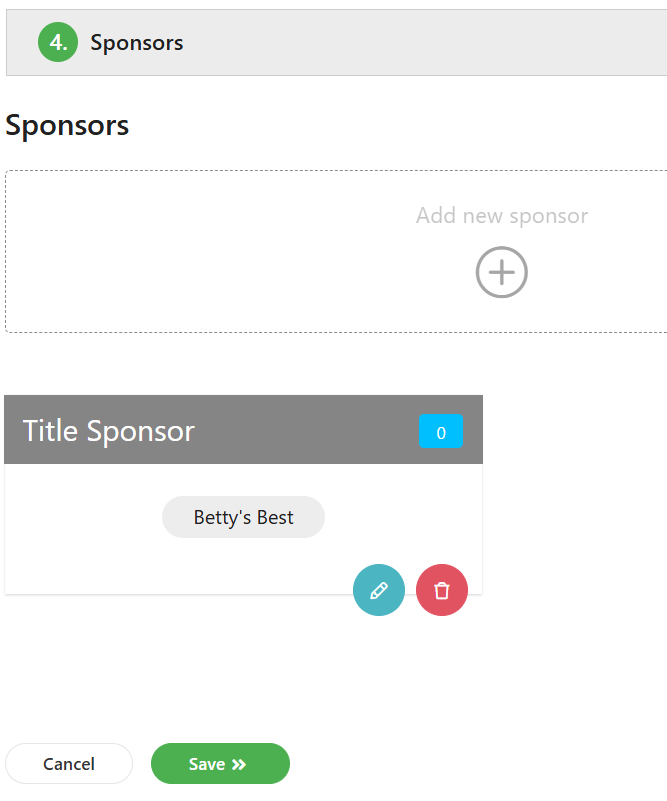
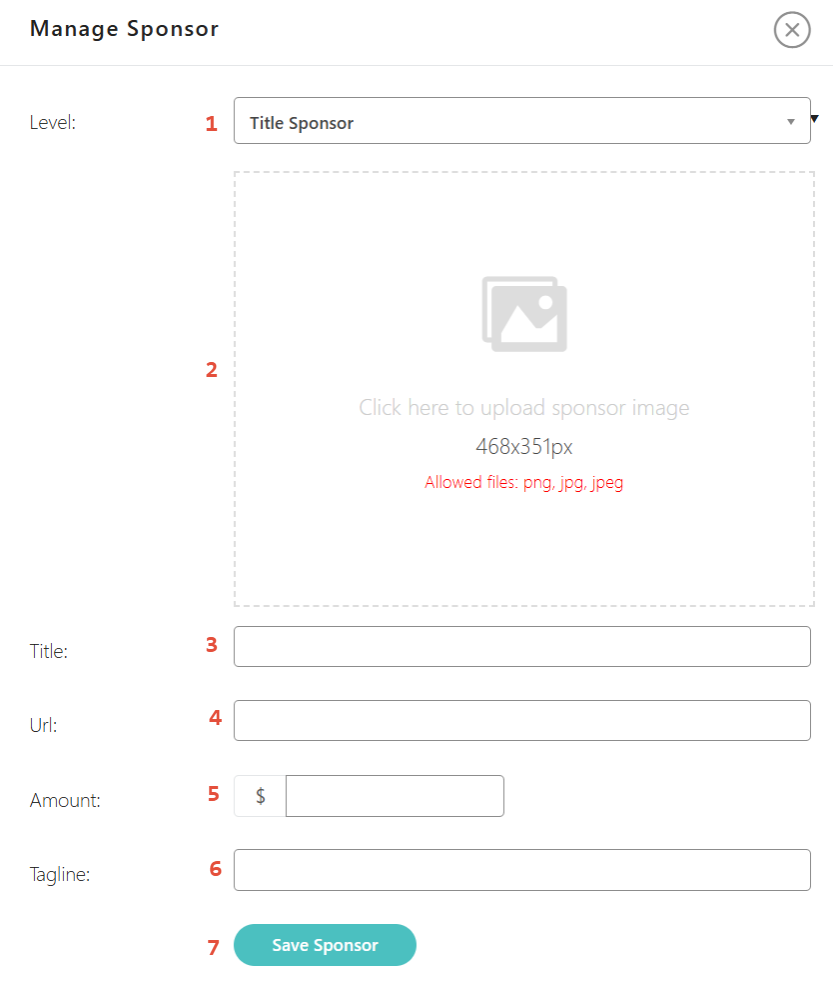
- Sponsor Level - Select a sponsor level from the drop down menu. Available choices are: Title Sponsor, Platinum, Gold, Silver, Bronze or Tour. Sponsor level determines where sponsor information will appear.
- Logo Upload - Upload the sponsor logo here. The process is the same as that used for the league logo. Please notice the logo size is 468 x 351 px and allows only png, jpg and jpeg format.
- Title - The name of the sponsor
- URL - If the sponsor has a website, include the URL address here and players who click on the sponsor logo will be directed to their website.
- Amount - This is option. It does not display on league website.
- Tagline - If the sponsor has an advertising slogan, include it here and it will display below the sponsor name.
- Save Sponsor - Save the information for your sponsor by clicking on the Save Sponsor tab.
Once your Sponsors have been created, click on the Save button at the top or bottom of the screen to move on the next page of League Setup.
Was this article helpful?
That’s Great!
Thank you for your feedback
Sorry! We couldn't be helpful
Thank you for your feedback
Feedback sent
We appreciate your effort and will try to fix the article