Club Ratings (This is only available for select accounts up on request). The default rating system that will be used is DUPR.
The Pickleball Brackets rating system will calculate all club ratings of player in the league after games are played each day. Players will be ranked by their club ratings after their new rating is calculated.
- This ranking type requires that players be listed as active club members.
- There is an additional fee for the system to calculate club ratings. Click HERE to view fees.
- Ratings are only calculated for games where all players are club members.
- The club can specify how coed matches are treated. They will either be ignored or counted toward the players doubles club rating. This setting is contained in the Club record and can only be changed by the Club Manager.
Score and Groups Size Defaults
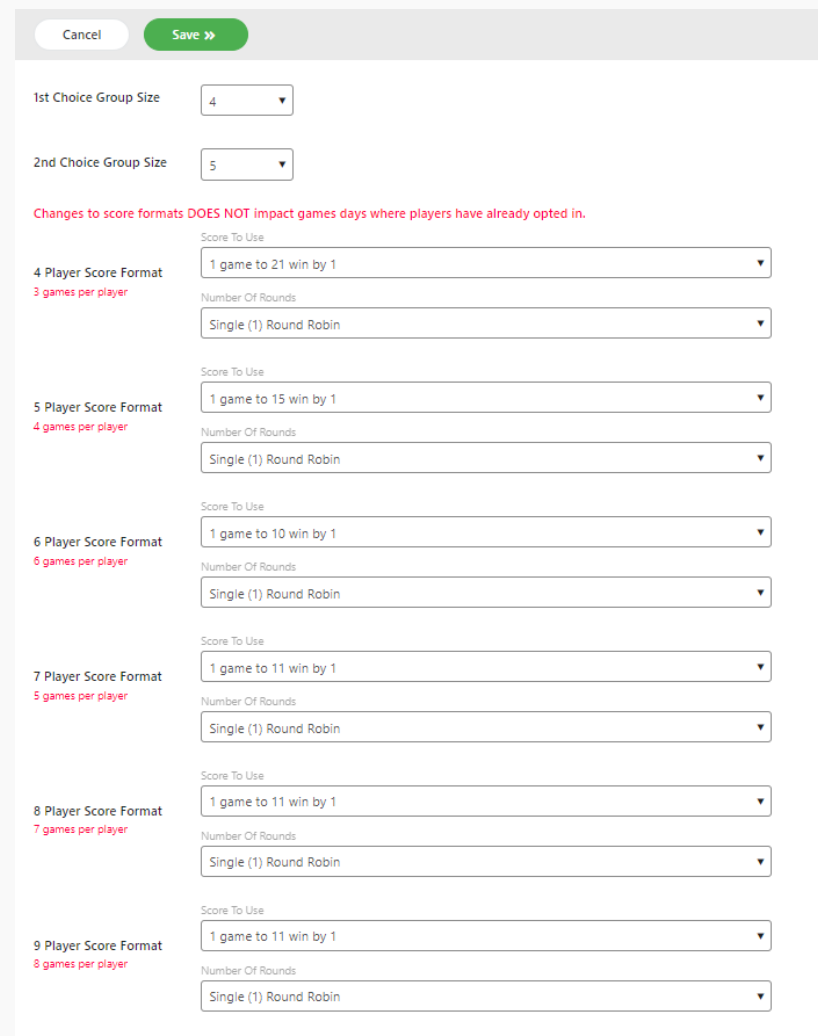
Groups are configured each Game Day based on the number of players who have opted in. The League must specify, in advance, the preferred group sizes and the default scoring format for each size group. Groups can be configured for up to 9 players for a single or double round.

Up Down
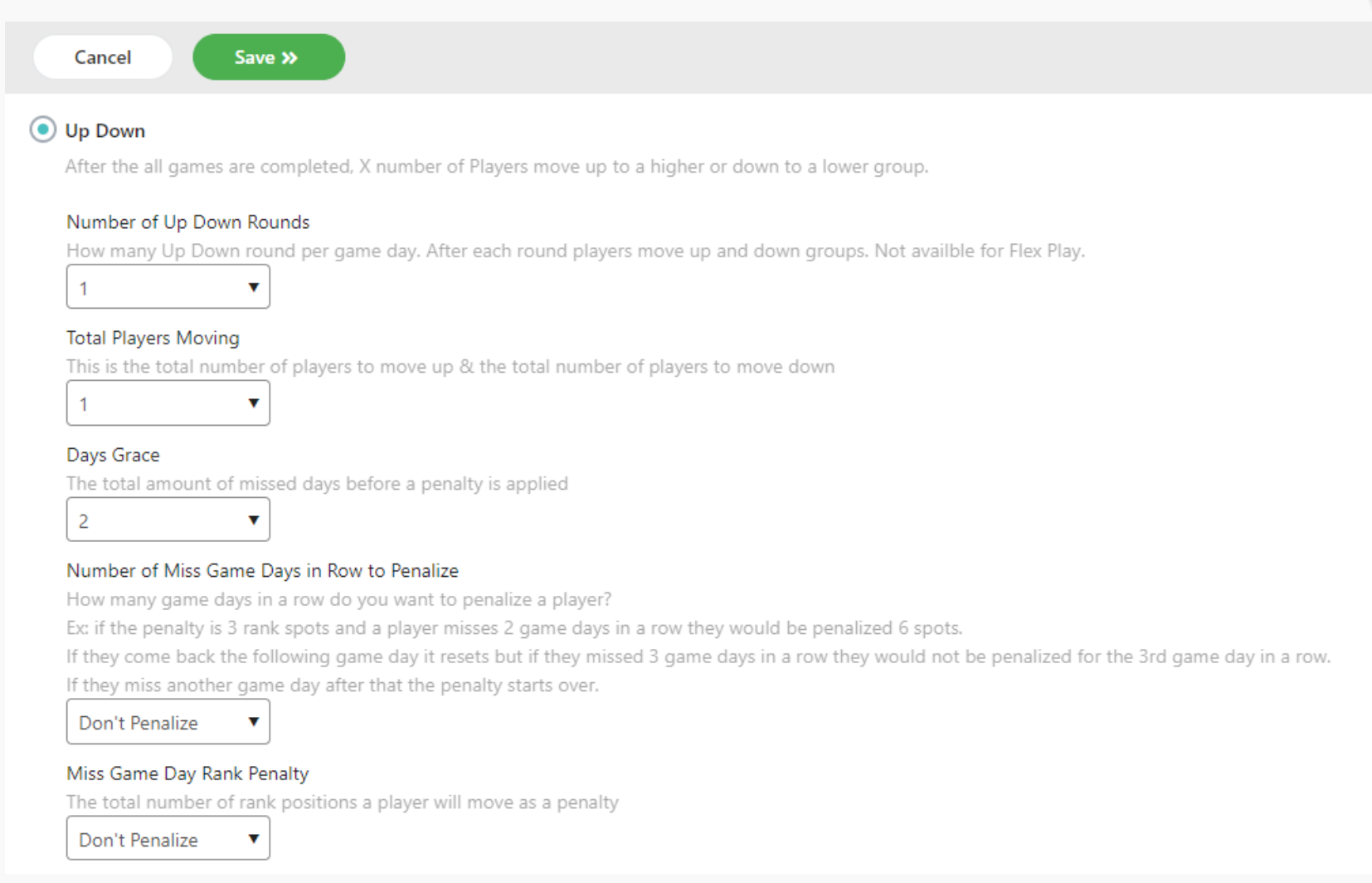
Up Down (Also known as King of the Court)
- Director can choose the setting for 1 or 2 players/teams to move up and down.
- Single or double round robin available
- Single
- After all games are played top X number of players move up a group and the bottom X number of players move down. Players are reseeded based on their movement and ready for the next game day
- Double
- After all games are played top X number of players move up a group and the bottom X number of players move down. Players are reseeded based on their movement and the next round starts with players in new groups.
- After all games are played top X number of players move up a group and the bottom X number of players move down.Players are reseeded based on their movement and ready for the next game day
- Single
- Factors that determine the movement up and down groups
- Total game wins for that game day (or round if you are doing a double round robin format)
- First tie-breaker: head-to-head games won. Who beat who more times when opposite one another.
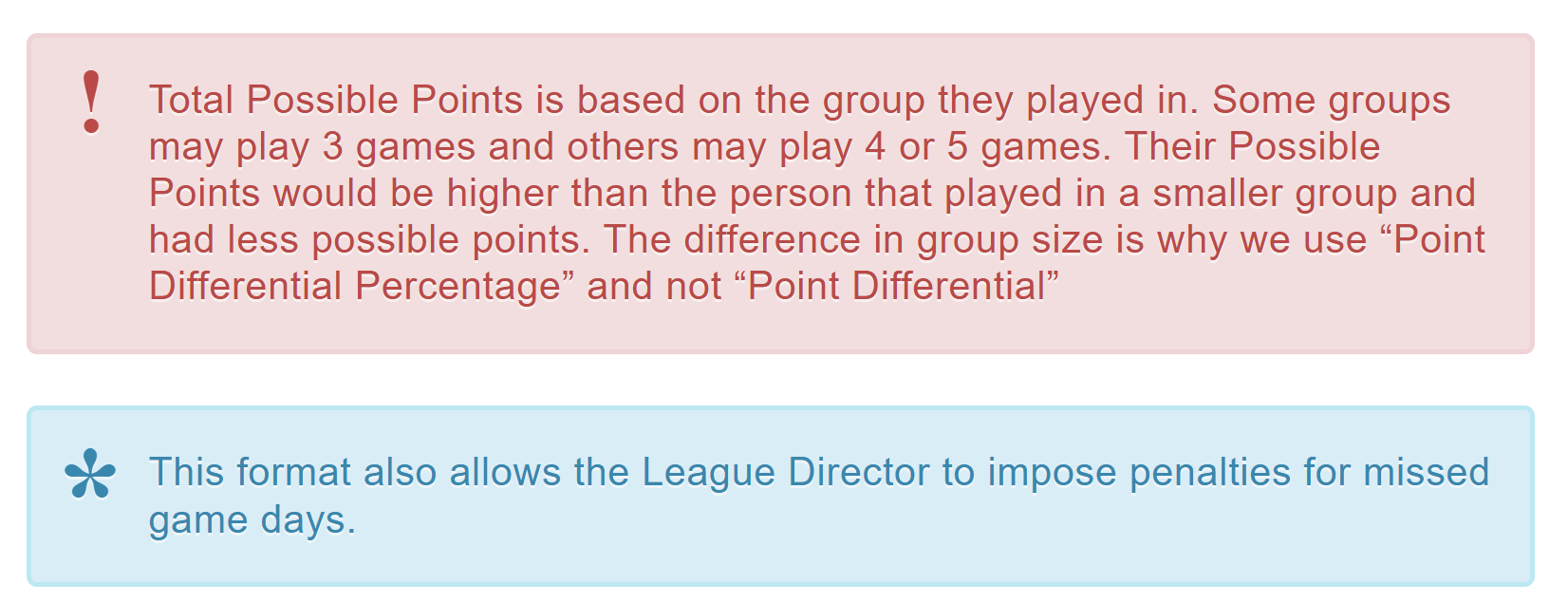
- Second tie-breaker: point differential percentage of all games played. (((Total Points Earned – Total Points Against) / (Total Possible Points)) * 100)
- Third tie-breaker: the higher seed prior to starting gets the resulting higher seed
Custom
Custom Leagues allow the League Director to award points based on performance each game day. Total points accumulated are then used to rank players on the ladder.
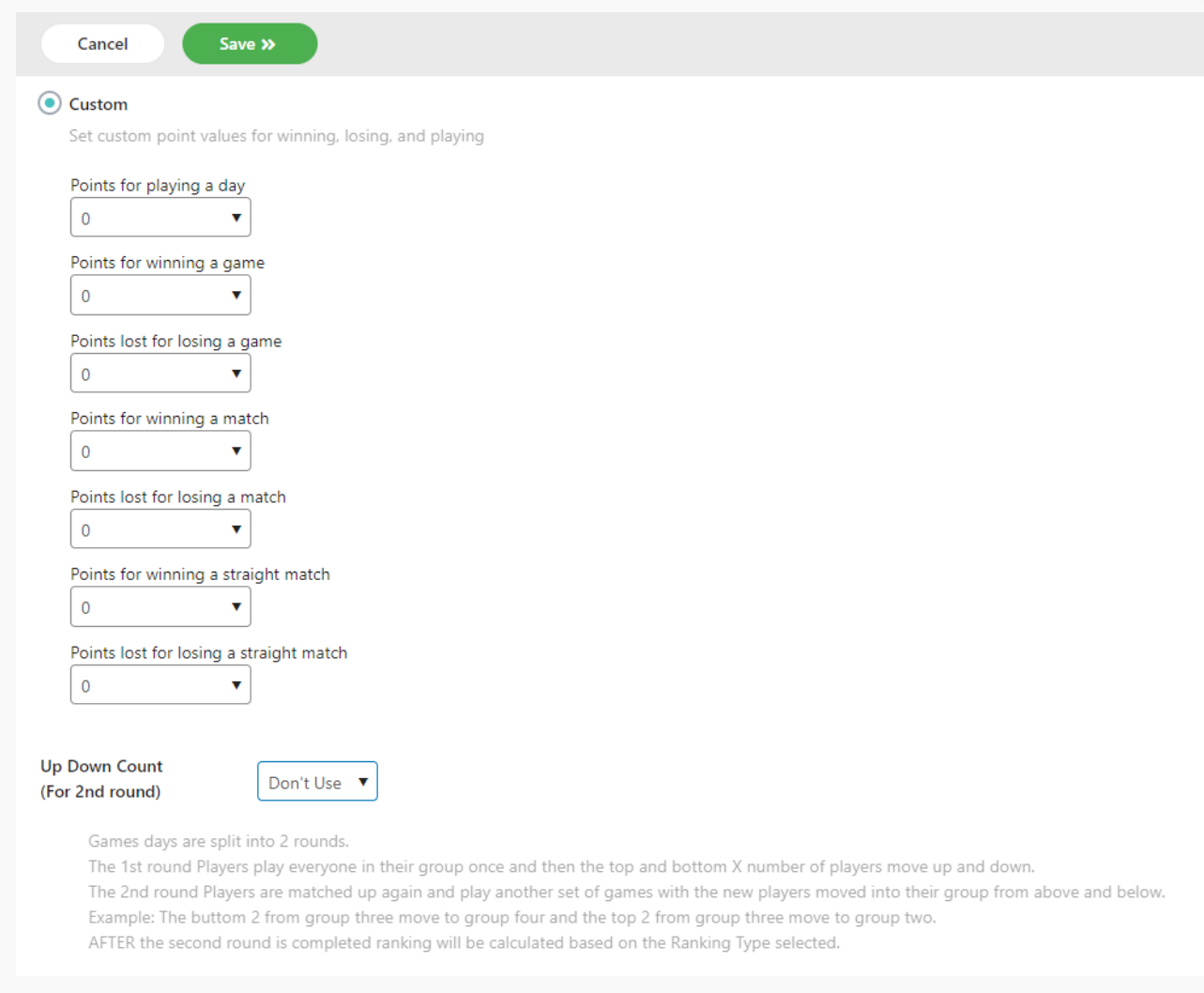
The League Director can specify points for the following factors:
- Points for playing a game
- Points for winning a game
- Points lost for losing a game
- Points for winning a match
- Points lost for losing a match
- Points for winning a straight match
- Points lost for losing a straight match
The system totals the points and players are ranked from highest points to lowest points.
If there is a tie after calculations, then the higher ranked player the previous week takes precedence.
If there are two rounds of play, the first round can be treated as an Up Down round where the League Director specifies the number of players in each group to move up or down. Points are awarded for the second round.
The League Director may also choose to add extra difficulty points based on the rank of the player group.
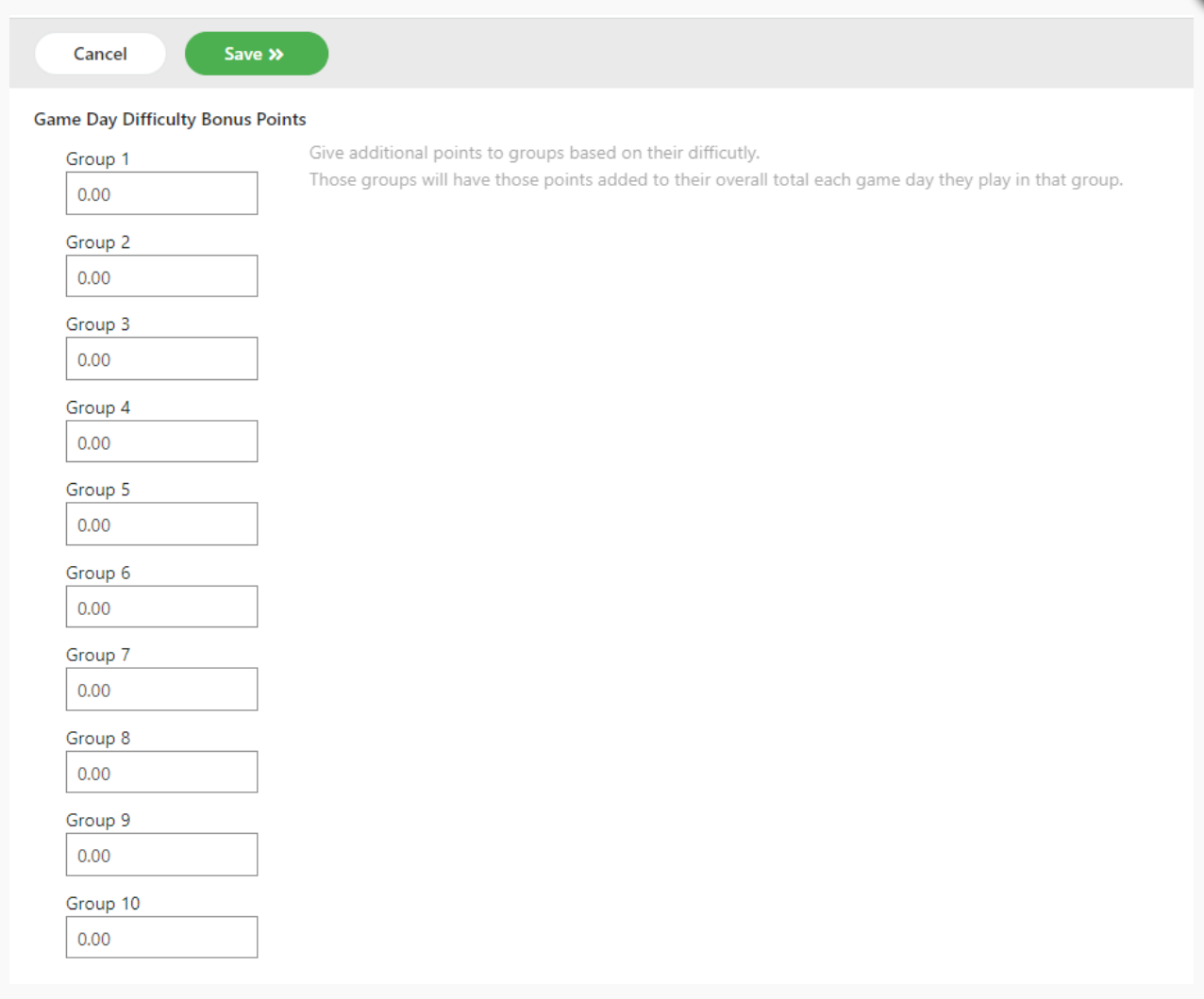
Two Round Custom League
If there are two rounds of play, the first round can be treated as an Up Down round where the League Director specifies the number of players in each group to move up or down.
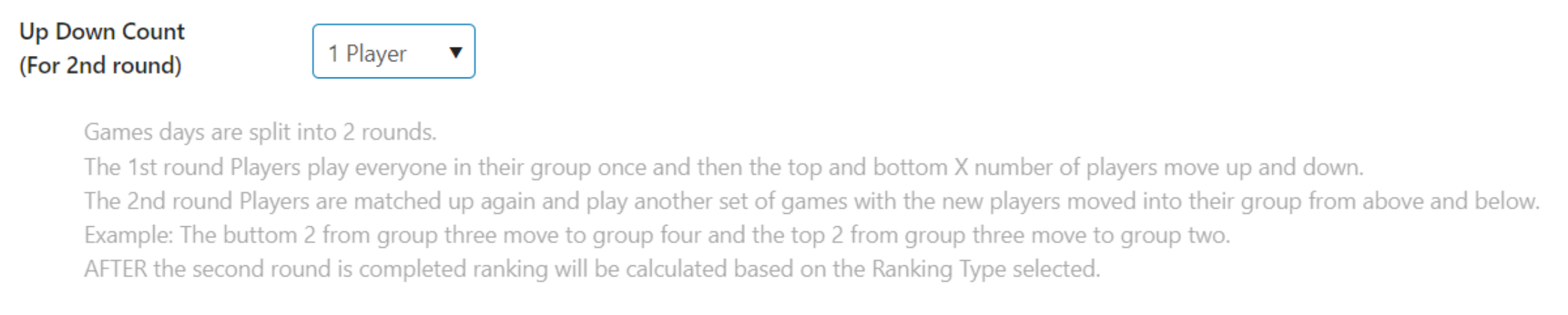
Custom League Group Bonus Points
The League Director can award bonus points to players in a group based on the difficulty of play. Those points are added to the Custom score after all calculations take place. Points can be entered up to two decimal places.
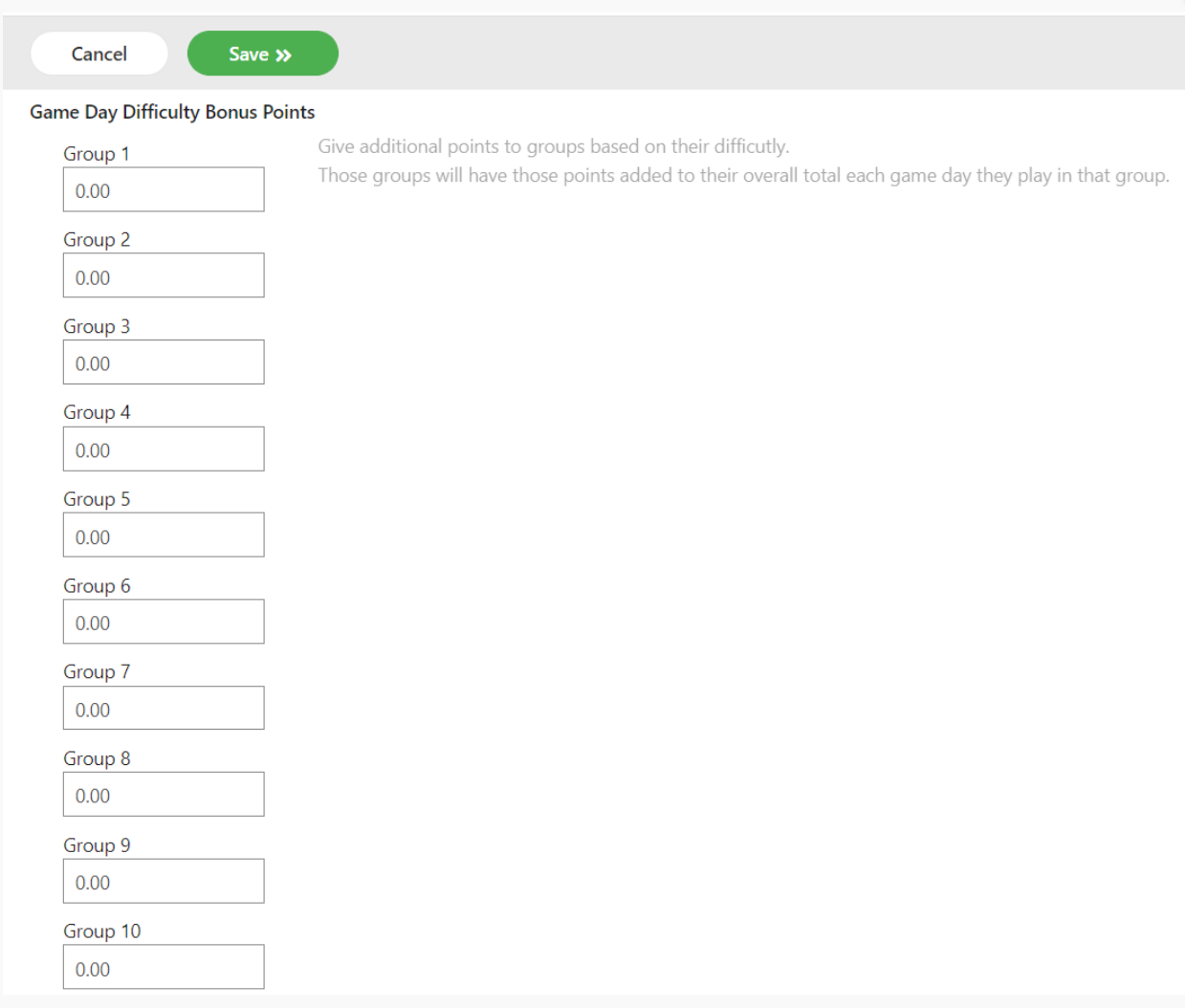
Custom Columns to Show
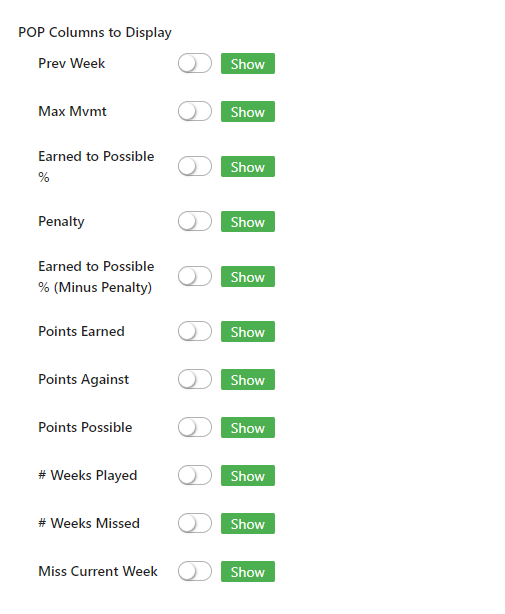
For a Custom league setup, be sure to show the relevant columns on the ladder page. If the league has penalties or up/down limits that affect the ladder rankings, be sure to show those columns.

Custom League Penalties
The League director can specify penalties or restrict movement for each week for a Custom league.
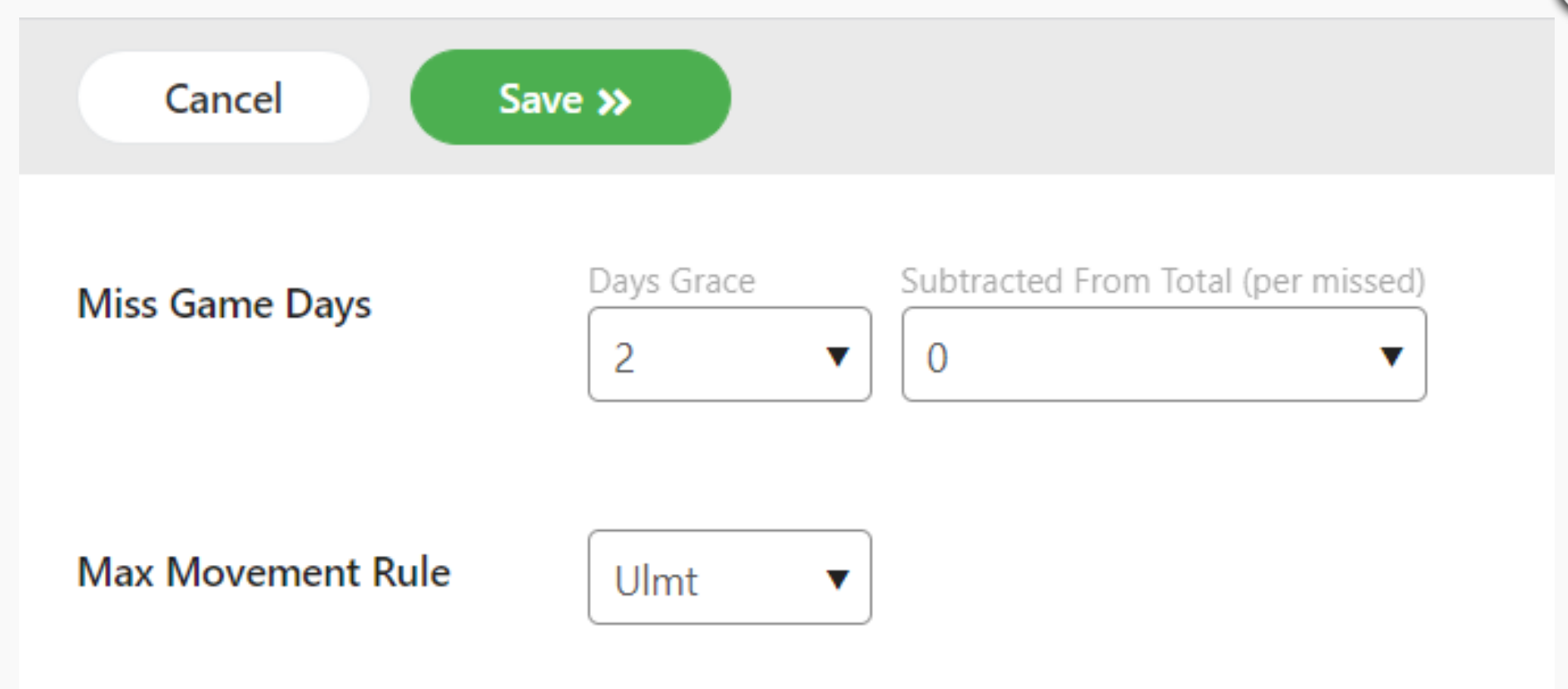
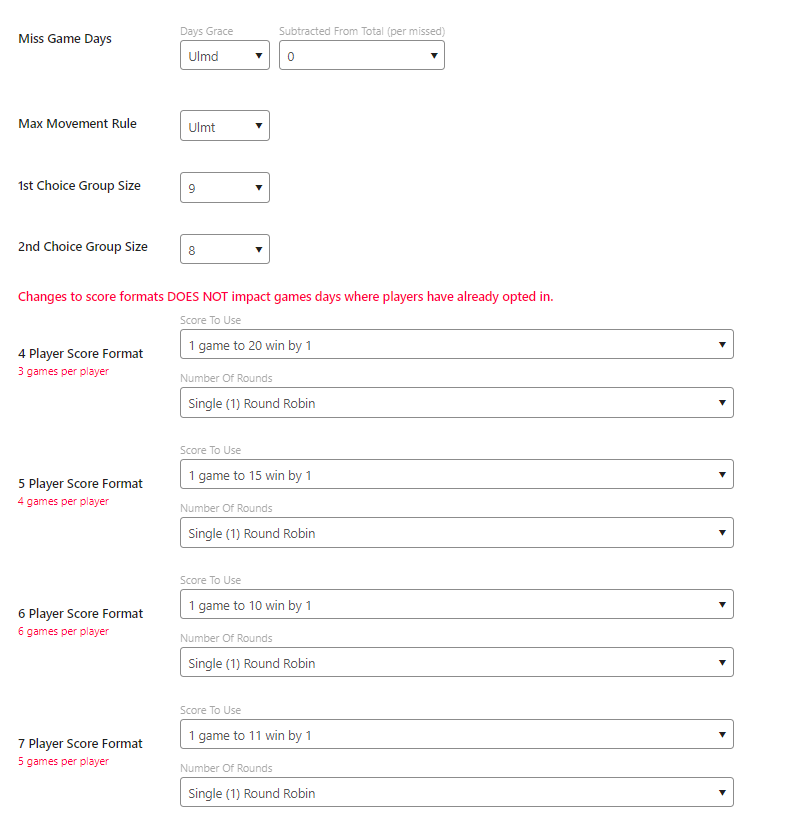
- Apply penalties for missed game days by first selecting the grace period (how many consecutive days can be missed without a penalty) and then selecting the penalty to be applied for subsequent missed game days. That penalty will be subtracted from the total points.
- Limit movement up and down the ladder by percentage of the size of the ladder. This can be used prevent drastic movements up and/or down the ladder.
Extra points may be awarded to players who play in specific groups using these options.
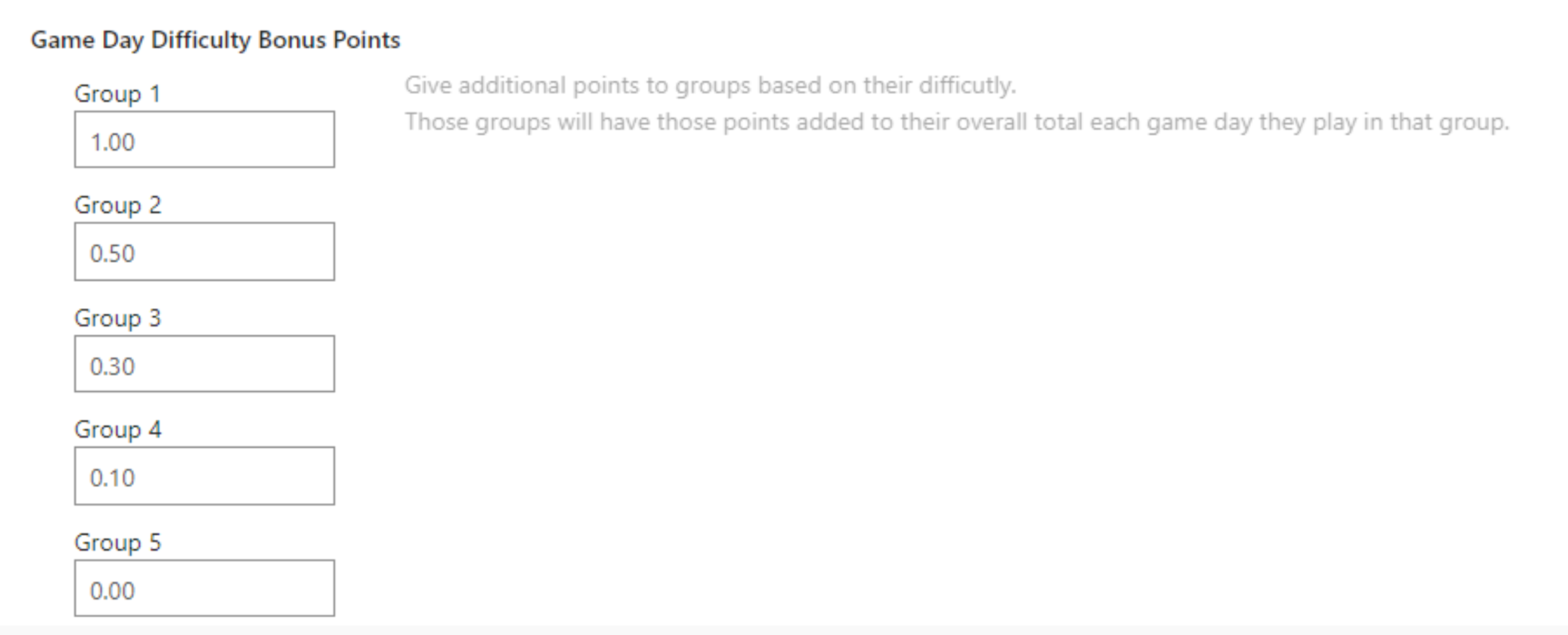
Session Page 7
Choose the columns you wish to display on the ranking page. Your choices will depend on how you have configured your session and what information players will need to see.
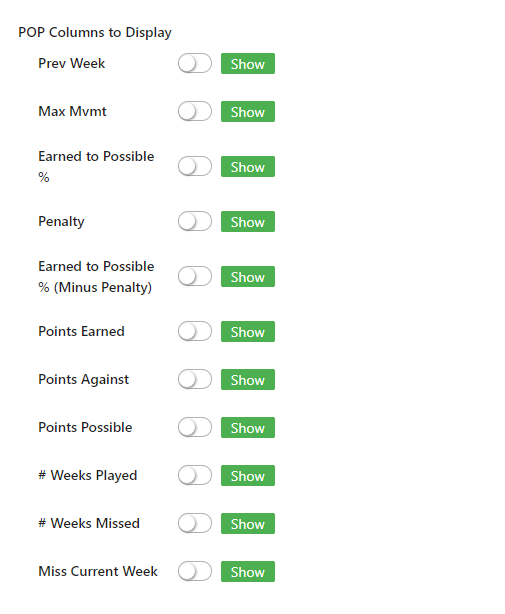
Session Page 8
You have the ability here to specify the first and second size group size that you prefer for the session and the game format for each possible group size. All of these choices will depend on the number of courts that you have available and the maximum number of opt ins you permit for each game day. The system will always use a format that includes every opted in player. It will first attempt to use your preferred group size settings.
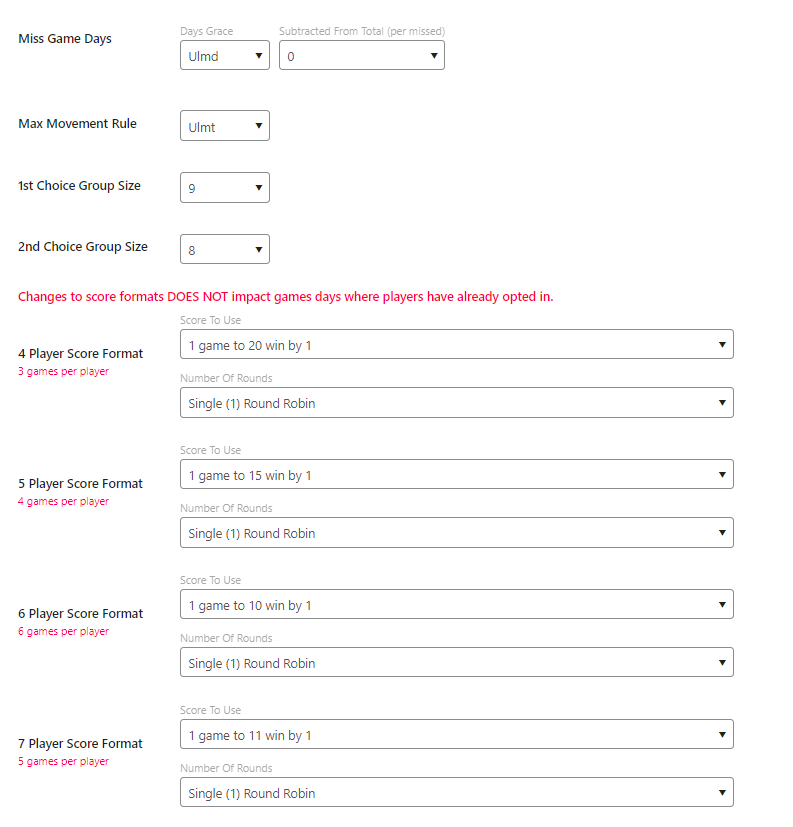
Adding Game Days to a Session
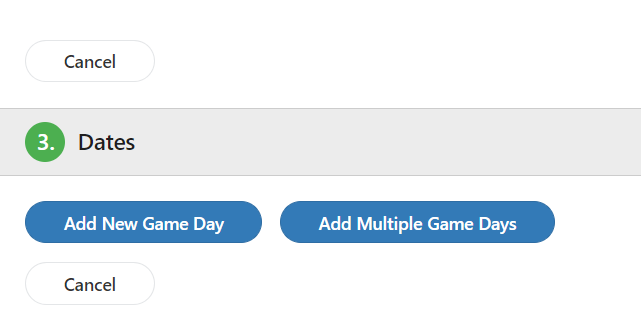
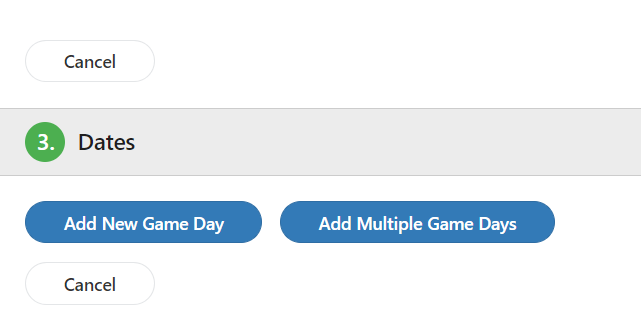
Once the session is configured, you can add your game days. Initially, most leagues will add multiple game days that will span the entire session. There is also an option to add individual game days.
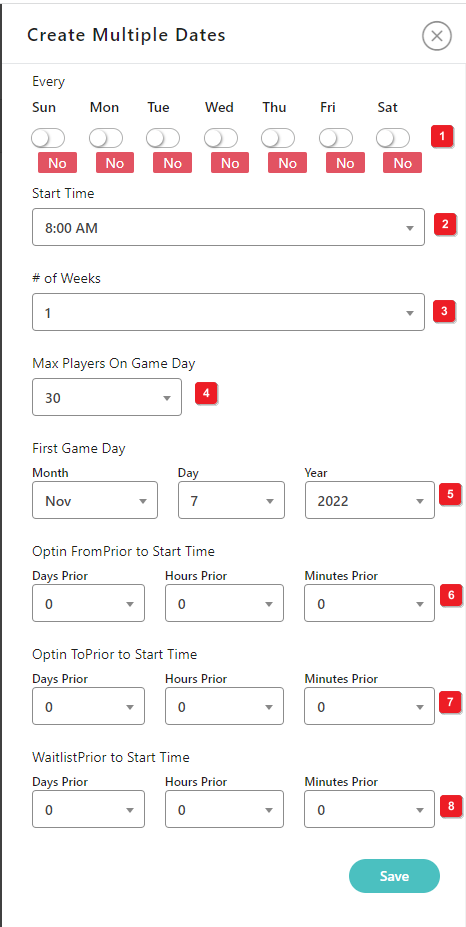
Creating Multiple Game Days
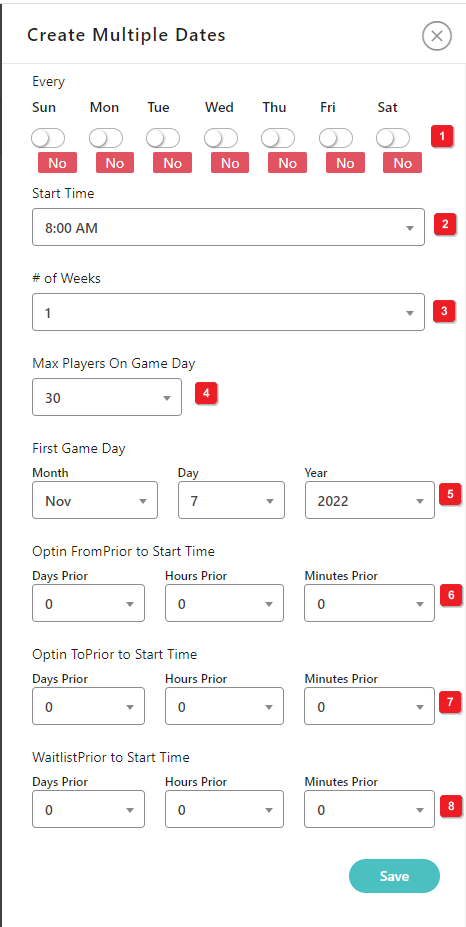
Select the day(s) of the week that the league will play.
elect the start time.
Select the number of weeks.
Select the maximum number of players allowed to opt in for a game day. This can be less than the maximum number of players in the league. If you wish to activate the waiting list option, turn that option on in your session settings, set this to the max number of players you can handle and then create the waiting list final automatic movement time period in Number 8 below.
t the first game date.
- Select the amount of time prior to each game day that players can begin to opt in. Players must opt themselves in if they want to play on any game day.
- Select the end of the opt in time period.
- Select the final time period that waiting list players can be automatically added to the game day. For example, if you want to assure that waiting list players have enough time to change any plans and arrive on time to play, you might want to set this time to at least a few hours prior to the start of each game day.
- Set the maximum number of opt in players to guarantee court space and time for your playing groups.
Was this article helpful?
That’s Great!
Thank you for your feedback
Sorry! We couldn't be helpful
Thank you for your feedback
Feedback sent
We appreciate your effort and will try to fix the article