To add sessions to any league, log in to your pickleballbrackets.com account, click on My Leagues and select the league you are managing. The league menu will show on the right side of the screen. Select Add a Session.
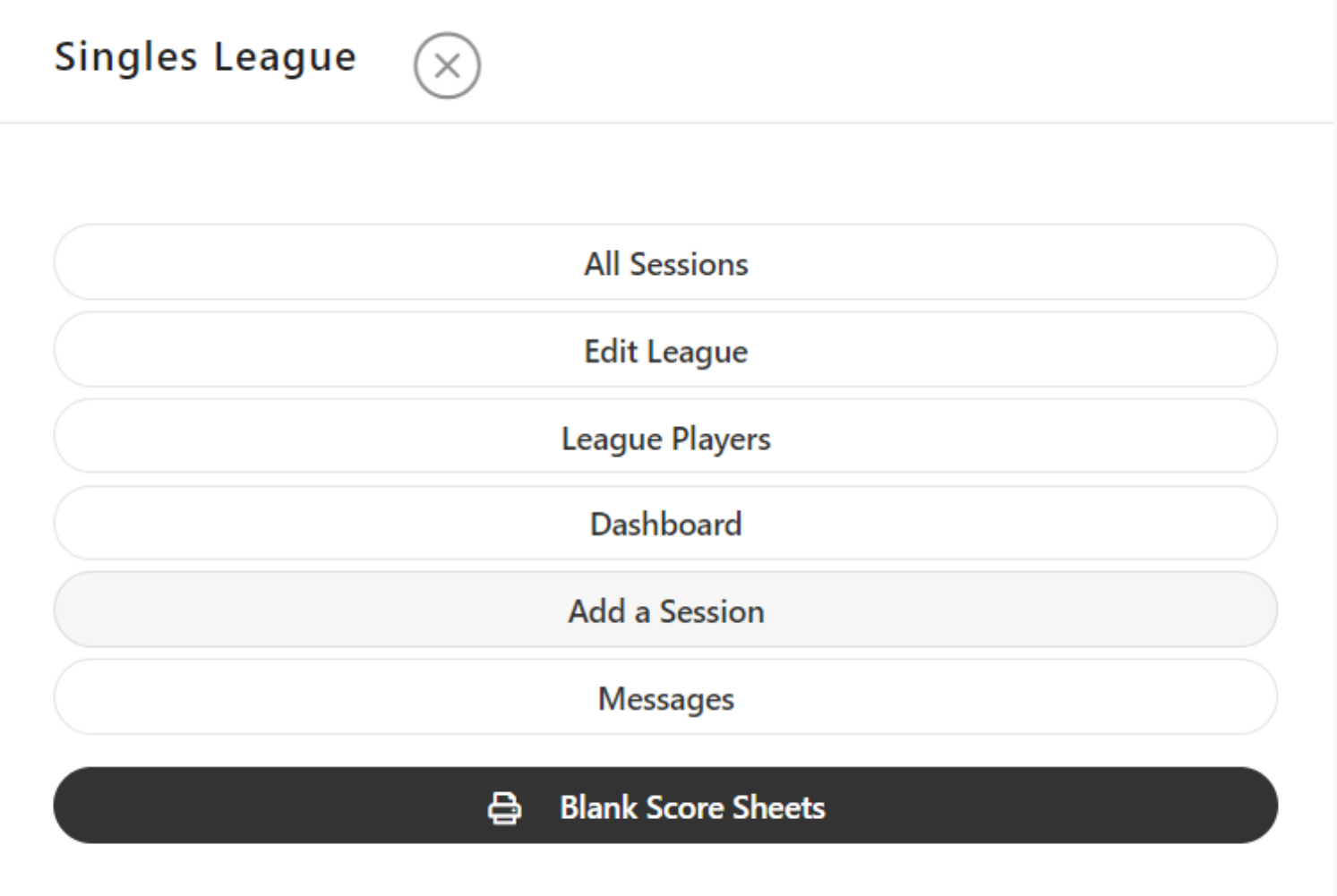

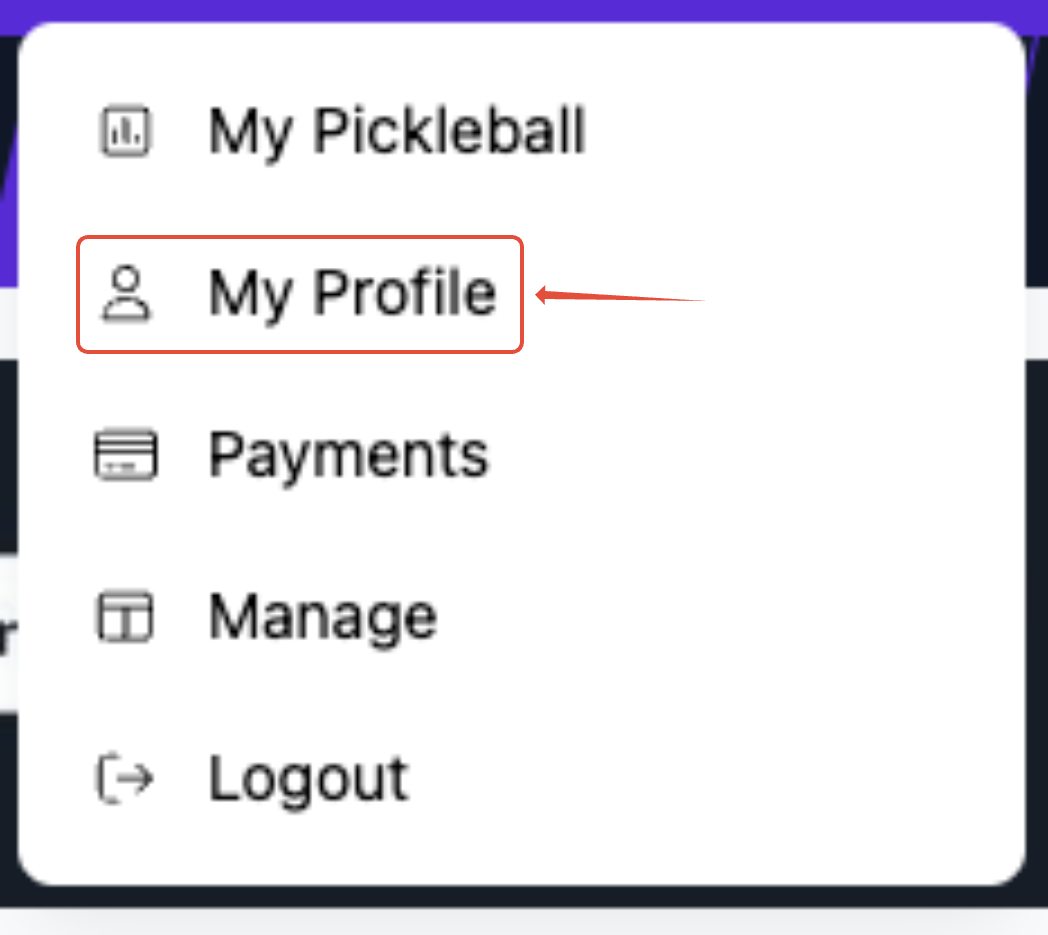
Note: When you finish a scheduled league, you will create a new session if you want to keep the same league type, format, etc... YOU DO NOT need to create a new league.If you have already created a league and need to create another session, you can go to your profile in the top right corner of Pickleball.com:
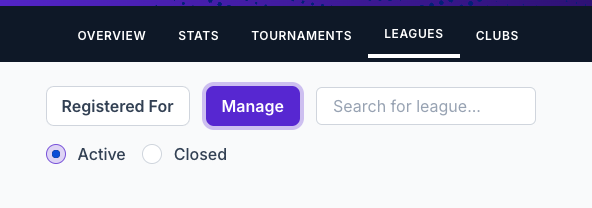
You will then click the Leagues tab, click Manage, and find the league you are needing to add a session to:
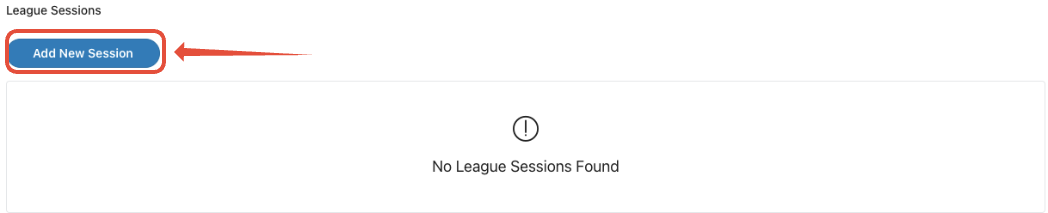
When you click the league, you will then click "Manage League", then "Add New Session.

You will then click Add New Session and complete the session settings
Was this article helpful?
That’s Great!
Thank you for your feedback
Sorry! We couldn't be helpful
Thank you for your feedback
Feedback sent
We appreciate your effort and will try to fix the article